> ## Documentation Index
> Fetch the complete documentation index at: https://www.plain.com/docs/llms.txt
> Use this file to discover all available pages before exploring further.
# Access & authentication
> Control who can read your Help Center, from fully public to signed-in customers only.
Plain gives you full control over who can access your Help Center. You can configure this under **Help Center → General.**
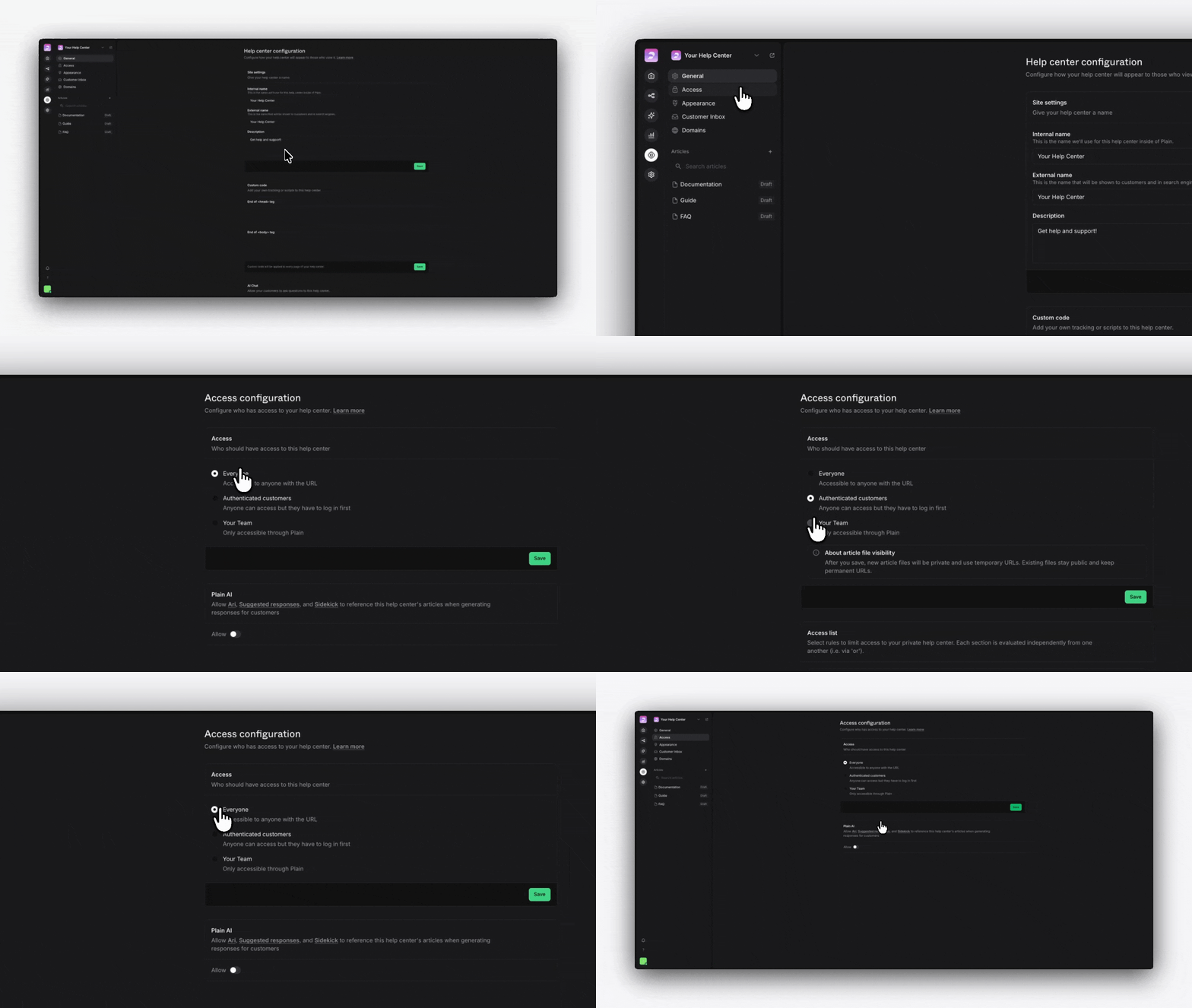 ## Access levels
### Everyone
Anyone with the URL can access your Help Center, no login required.
* Best for public knowledge bases
* Search engines can index your content
### Authenticated customers
Visitors must log in using their email address before accessing your Help Center. Login is via **magic links**, so there's no need for a password.
* Anyone with an email address can authenticate, including people who are not yet users of your product
* Once logged in, customers can create and track threads without a second sign-in
* Their email is visible in Plain, so you can attribute usage and AI conversations to them
To restrict access further, gate the Help Center by **tier**, **tenant**, **company**, or specific **customers**. Rules are OR'd: a visitor who matches any one of them gets in. Adding a tier rule and a company rule widens access rather than narrowing it.
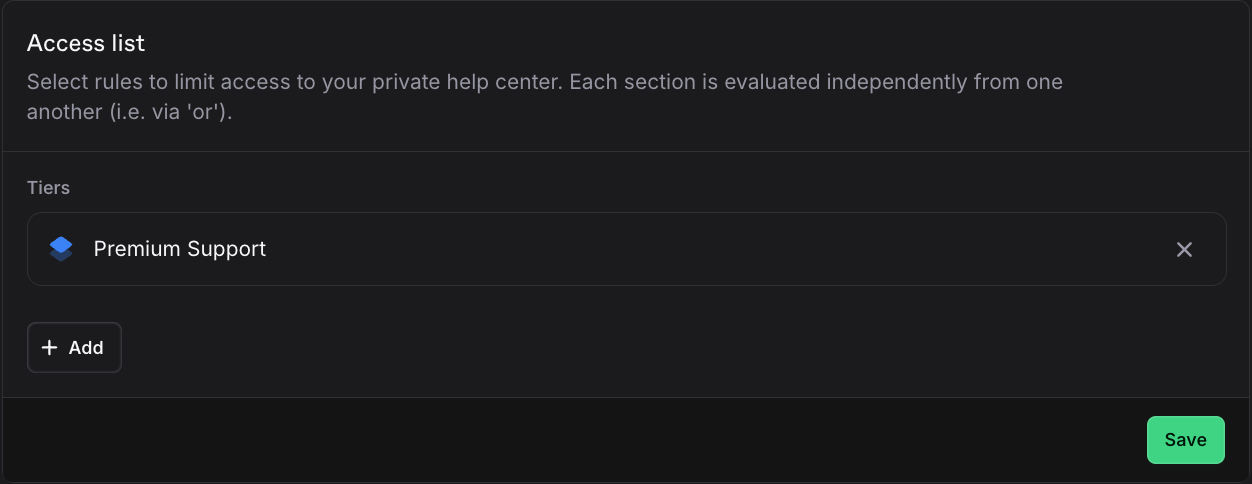
An example use-case could be that you only want to provide access to your Help Center to Premium customers. To do this, you can select your "Premium" option in the "Tiers" select menu:
## Access levels
### Everyone
Anyone with the URL can access your Help Center, no login required.
* Best for public knowledge bases
* Search engines can index your content
### Authenticated customers
Visitors must log in using their email address before accessing your Help Center. Login is via **magic links**, so there's no need for a password.
* Anyone with an email address can authenticate, including people who are not yet users of your product
* Once logged in, customers can create and track threads without a second sign-in
* Their email is visible in Plain, so you can attribute usage and AI conversations to them
To restrict access further, gate the Help Center by **tier**, **tenant**, **company**, or specific **customers**. Rules are OR'd: a visitor who matches any one of them gets in. Adding a tier rule and a company rule widens access rather than narrowing it.
An example use-case could be that you only want to provide access to your Help Center to Premium customers. To do this, you can select your "Premium" option in the "Tiers" select menu:
 ### Your team
Only members of your Plain workspace can access the Help Center. Ideal for internal knowledge bases or documentation you're not ready to publish publicly.
A visitor who authenticates but matches no access rule sees an "Access restricted" page. It reads: *"This Help Center is either internal or you do not have the necessary permissions to access it."* They can sign out and try another account.
## Plain AI access
Independently of your human access settings, you can control whether Plain AI features (Ari, Suggested responses, and Sidekick) can read your Help Center articles.
* This is useful if your Help Center is set to "Your team only" but you still want AI features to reference your articles when responding to customers
* Enable this under **Help Center → General → AI access**
### Your team
Only members of your Plain workspace can access the Help Center. Ideal for internal knowledge bases or documentation you're not ready to publish publicly.
A visitor who authenticates but matches no access rule sees an "Access restricted" page. It reads: *"This Help Center is either internal or you do not have the necessary permissions to access it."* They can sign out and try another account.
## Plain AI access
Independently of your human access settings, you can control whether Plain AI features (Ari, Suggested responses, and Sidekick) can read your Help Center articles.
* This is useful if your Help Center is set to "Your team only" but you still want AI features to reference your articles when responding to customers
* Enable this under **Help Center → General → AI access**
