> ## Documentation Index
> Fetch the complete documentation index at: https://www.plain.com/docs/llms.txt
> Use this file to discover all available pages before exploring further.
# Citations
> Ari shows which knowledge source each answer came from, for you and for your customers.
Ari shows the knowledge it used to answer, so you and your customers can see where a reply came from and trust it.
## Inline links
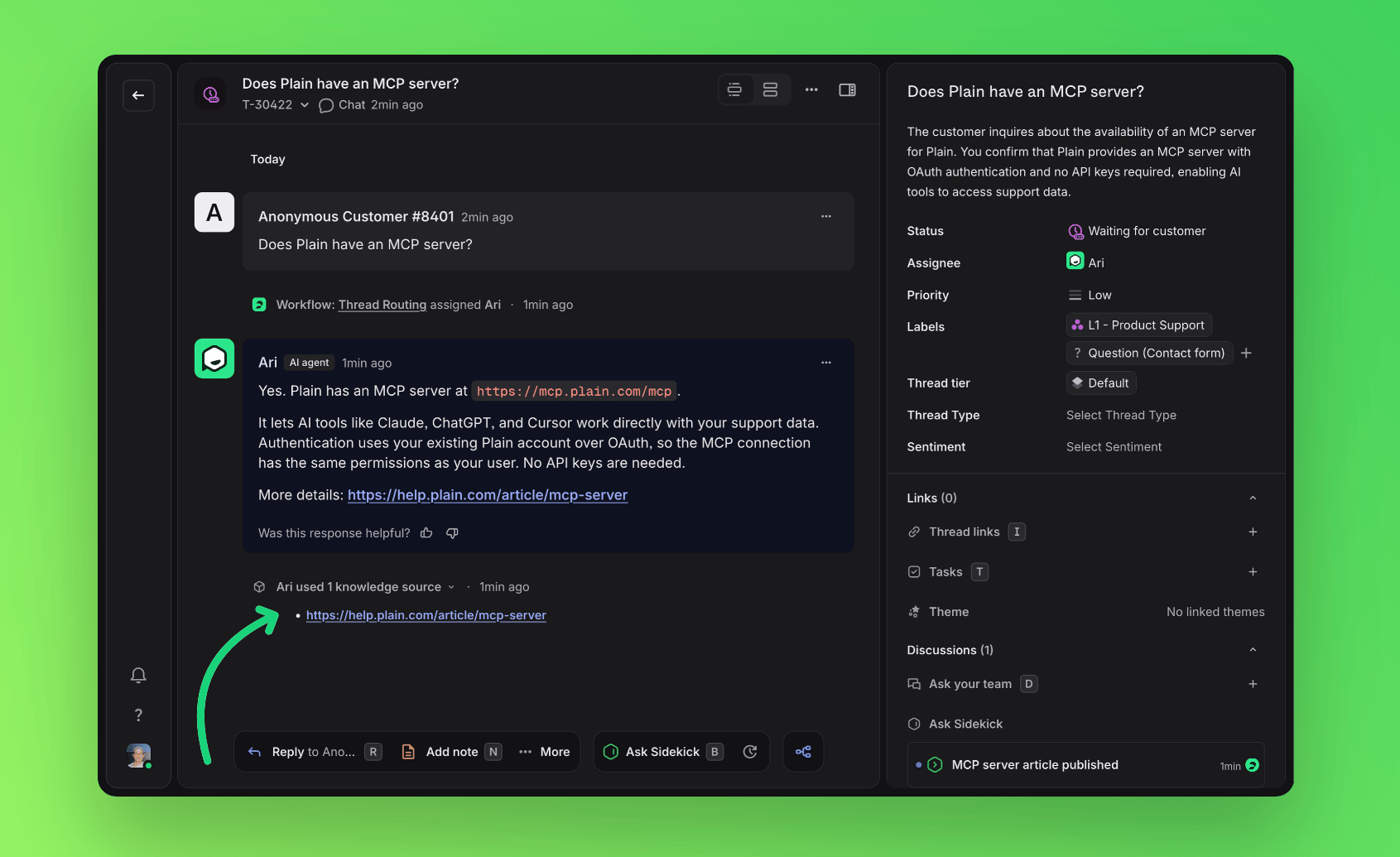
Ari links directly to the relevant documentation inside its reply to customers, including relevant links that further help the customer with answering their question.
Links only ever point to your **publicly accessible** Help Center articles and public documentation pages. Ari never links a private or internal Help Center article, even when it used that content to answer.
Ari keeps links to a minimum (at most two per reply) and adds one only when it is genuinely useful to the reader.
Inline links are **on by default**. You can turn them off for your workspace on the [Ari → Preferences](https://app.plain.com/~/ai/ari/preferences/) page.
## Which knowledge was used?
Each time Ari answers from your knowledge, it adds a collapsible timeline entry titled "Ari used 3 knowledge sources".
Citations are captured at the moment Ari replies, so the entry keeps showing what Ari used even if that source is later edited, reindexed, or deleted.
This is **on by default**. You can turn it off for your workspace on the same [Ari → Preferences](https://app.plain.com/~/ai/ari/preferences/) page.