> ## Documentation Index
> Fetch the complete documentation index at: https://www.plain.com/docs/llms.txt
> Use this file to discover all available pages before exploring further.
# Sidekick in Slack
> Mention Sidekick in a Slack channel and get answers without a Plain seat.
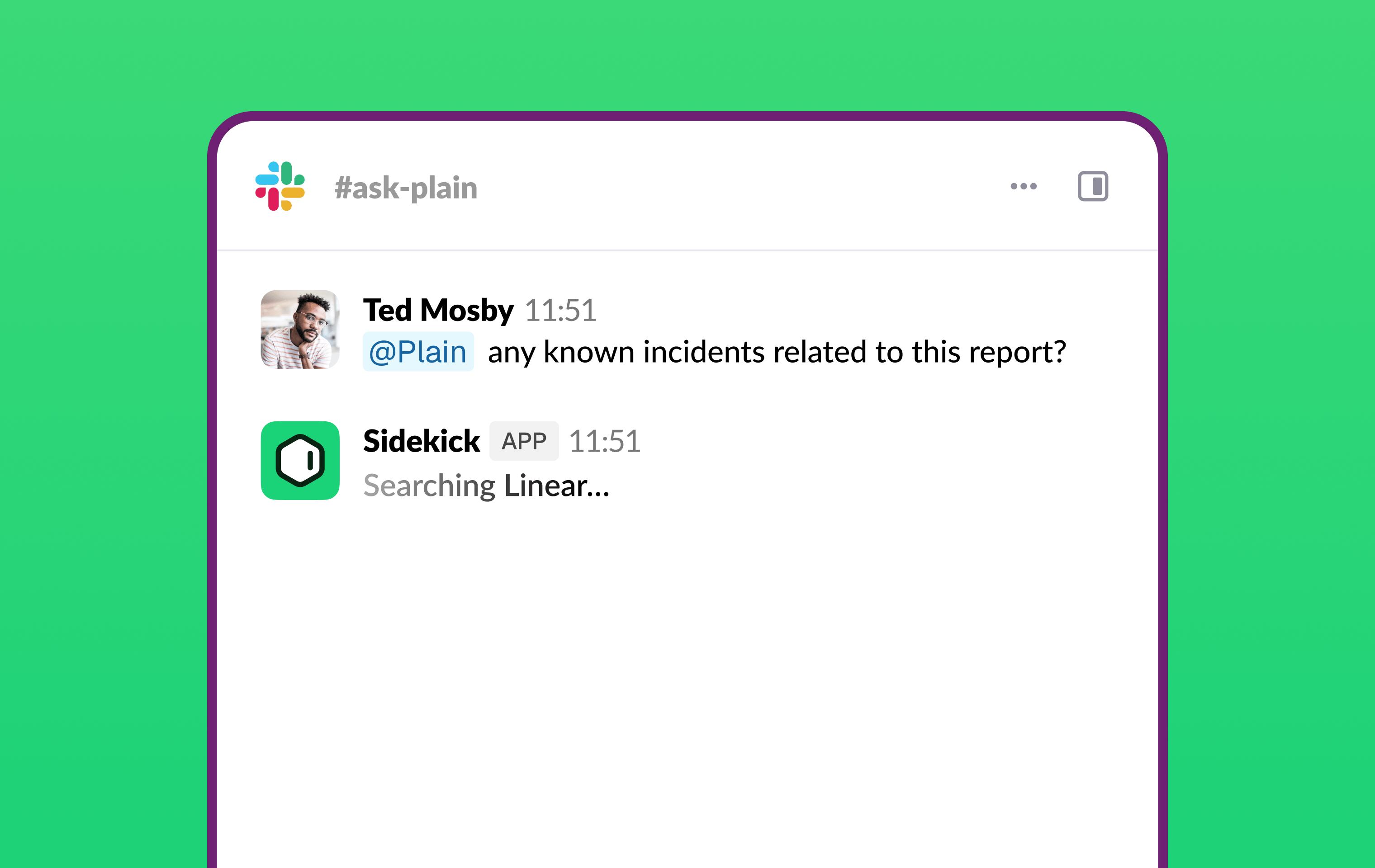
Sidekick can live in a Slack channel. Anyone on your team can @mention it, with no Plain seat, no login, and no browser tab. The channel becomes a shared interface to your entire toolstack.
 ## How to enable it
You need to be a workspace **Admin** or **Owner**.
1. Go to **Sidekick → Integrations → Slack**
2. Click **Add to Slack** and complete the authorisation flow
3. Plain automatically creates an `#ask-plain` channel where your team can start straight away
4. To add Sidekick to other channels, select them from the connected-channels list on the same page
## Who can use it
Anyone whose email matches your workspace domain can @mention Sidekick in Slack. They don't need a Plain account. Users with a Plain account get the same Sidekick they know from the app; everyone else on your domain can use it directly from Slack without logging in.
Sidekick responds in internal channels only. Slack Connect channels and DMs are not supported.
## How to use it
@mention Plain in any channel Sidekick has been added to and ask your question in the same message. Sidekick replies in the thread and keeps context across replies there, so you can keep the conversation going. The more specific your question, the more useful the answer.
## What Sidekick can access
Sidekick in Slack has the same tools and data as Sidekick in Plain:
**Always available:** Plain threads, customers, and tenants; your Help Center and knowledge sources; similar past threads.
**Available when connected** in **Sidekick → Integrations:** Notion, Grain, Granola, HubSpot, Attio, Linear, Jira, [incident.io](http://incident.io), Datadog, Grafana, Sentry, PostHog, LaunchDarkly, Slack, and GitHub. See Tools and integrations.
## What Sidekick can do from Slack
Sidekick can look things up and take actions, the same as in the app, including actions that require approval. When approval is needed, it shows a confirm and deny step right in Slack, so you can approve or deny without switching to Plain. See Actions and approvals.
## What teams use it for
**Engineering** (the heaviest users) investigate live incidents, run trace analysis, debug unexpected behavior and dev-environment errors, answer codebase questions, scope features into Linear, and query usage and metrics, all from Slack.
**Sales** get post-call intelligence, RFP assistance, and PTO catch-up, research feature gates, answer customer technical questions verified against the codebase, and run competitive gap analysis.
**Reporting and ops** run monitor-history audits and monitoring overviews, and ask product-analytics questions without any code spelunking.
**Product and general** ask architecture questions answered against the real implementation, investigate performance, debug across repos, and ask API-design questions.
## Slack-specific instructions
You can set a separate behavior prompt for how Sidekick responds in Slack, independent of its in-app instructions, to tune its tone, response length, or focus for a Slack context. Configure it in **Sidekick → Settings**.
## Sessions and history
Sidekick conversations in Slack are scoped to the thread they happen in. They're not connected to your Sidekick sessions in the Plain app, and they're visible only to people in the same Slack thread.
## How to enable it
You need to be a workspace **Admin** or **Owner**.
1. Go to **Sidekick → Integrations → Slack**
2. Click **Add to Slack** and complete the authorisation flow
3. Plain automatically creates an `#ask-plain` channel where your team can start straight away
4. To add Sidekick to other channels, select them from the connected-channels list on the same page
## Who can use it
Anyone whose email matches your workspace domain can @mention Sidekick in Slack. They don't need a Plain account. Users with a Plain account get the same Sidekick they know from the app; everyone else on your domain can use it directly from Slack without logging in.
Sidekick responds in internal channels only. Slack Connect channels and DMs are not supported.
## How to use it
@mention Plain in any channel Sidekick has been added to and ask your question in the same message. Sidekick replies in the thread and keeps context across replies there, so you can keep the conversation going. The more specific your question, the more useful the answer.
## What Sidekick can access
Sidekick in Slack has the same tools and data as Sidekick in Plain:
**Always available:** Plain threads, customers, and tenants; your Help Center and knowledge sources; similar past threads.
**Available when connected** in **Sidekick → Integrations:** Notion, Grain, Granola, HubSpot, Attio, Linear, Jira, [incident.io](http://incident.io), Datadog, Grafana, Sentry, PostHog, LaunchDarkly, Slack, and GitHub. See Tools and integrations.
## What Sidekick can do from Slack
Sidekick can look things up and take actions, the same as in the app, including actions that require approval. When approval is needed, it shows a confirm and deny step right in Slack, so you can approve or deny without switching to Plain. See Actions and approvals.
## What teams use it for
**Engineering** (the heaviest users) investigate live incidents, run trace analysis, debug unexpected behavior and dev-environment errors, answer codebase questions, scope features into Linear, and query usage and metrics, all from Slack.
**Sales** get post-call intelligence, RFP assistance, and PTO catch-up, research feature gates, answer customer technical questions verified against the codebase, and run competitive gap analysis.
**Reporting and ops** run monitor-history audits and monitoring overviews, and ask product-analytics questions without any code spelunking.
**Product and general** ask architecture questions answered against the real implementation, investigate performance, debug across repos, and ask API-design questions.
## Slack-specific instructions
You can set a separate behavior prompt for how Sidekick responds in Slack, independent of its in-app instructions, to tune its tone, response length, or focus for a Slack context. Configure it in **Sidekick → Settings**.
## Sessions and history
Sidekick conversations in Slack are scoped to the thread they happen in. They're not connected to your Sidekick sessions in the Plain app, and they're visible only to people in the same Slack thread.