> ## Documentation Index
> Fetch the complete documentation index at: https://www.plain.com/docs/llms.txt
> Use this file to discover all available pages before exploring further.
# Auto-responses
> How auto-responses work in Plain, when they fire, and when they are suppressed.
Auto-responses send an automatic reply when a new thread is created. Use them to keep customers informed straight away, reduce duplicate follow-ups, and give your team time to respond thoughtfully.
To set up auto-responses, go to **Settings → Auto-responses.**
 ## When auto-responses are triggered
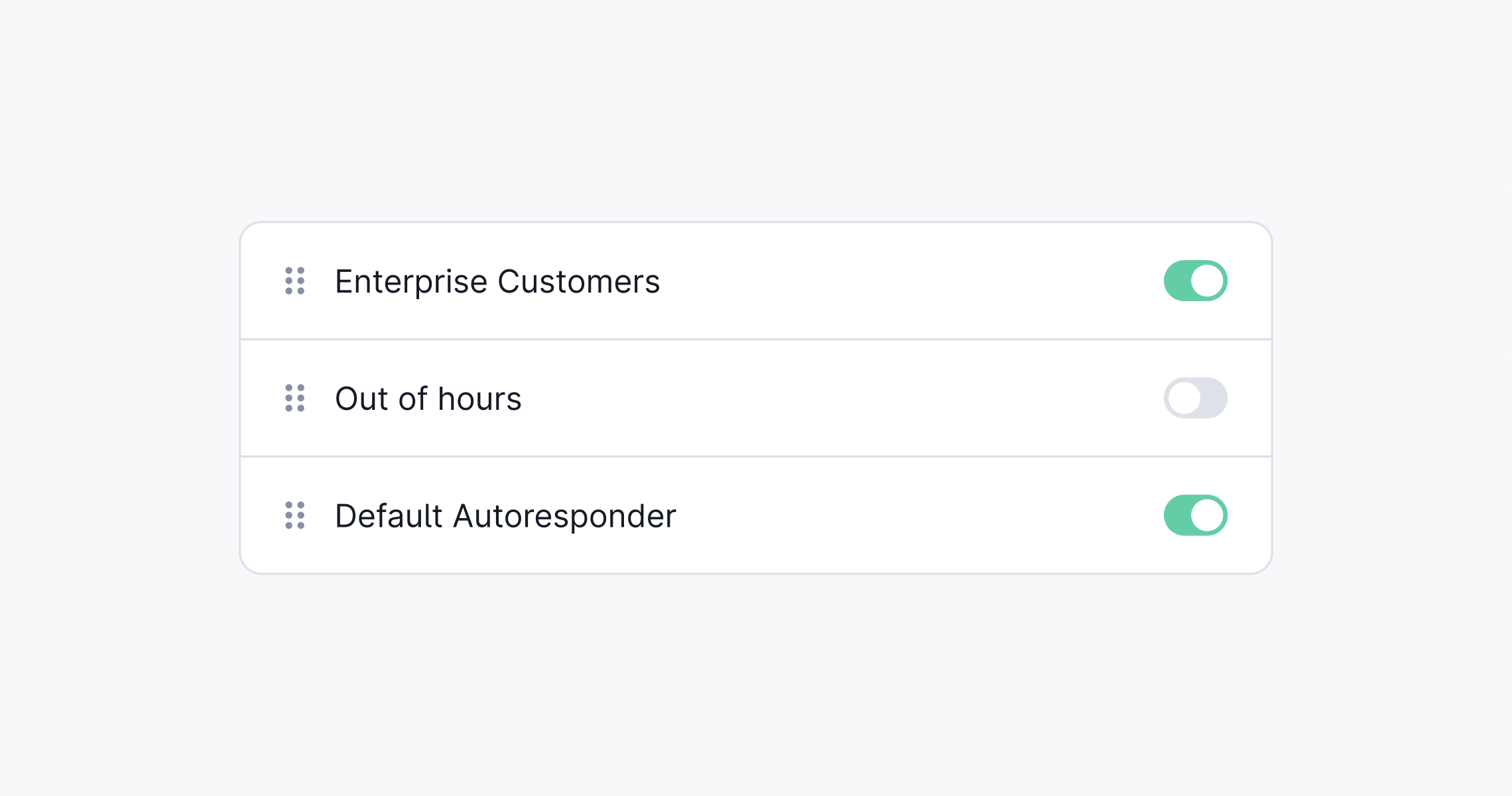
Auto-responses fire when a new thread is created. You can restrict them to specific conditions. All conditions on a single auto-response must match for it to send. If you have multiple auto-responses configured, they are evaluated in order and the first match wins.
Available conditions:
* **Support email address**: only applies when the thread comes in via email
* **Inside or outside business hours**: matches based on your workspace business hours setting
* **Label**: matches threads that have a specific label applied
* **Tier**: matches threads belonging to a specific customer tier
* **Priority**: matches threads at a specific priority level
If your workspace does not have business hours configured, the outside business hours condition always evaluates as matched (it is treated as always true).
## When auto-responses are suppressed
Even when an auto-response is enabled, it will not send in the following situations:
* **Thread created by an agent**: auto-responses only fire for threads created by a customer or a machine user (e.g. via API). Threads opened manually by a support agent are skipped.
* **Customer is marked as spam**: no auto-response is sent to spam customers.
* **Thread has no inbound message**: if the thread has no first customer message, the auto-response is skipped.
* **Thread is no longer in Todo when the response is due**: if the thread has been resolved, snoozed, or otherwise moved out of Todo before the scheduled send time, the auto-response is canceled.
* **An agent or machine user has already replied**: if any non-customer message is sent before the auto-response fires, for example during the response delay window, the auto-response is canceled. This prevents a second reply when a user has already picked the thread up.
## Response delay
You can configure a delay (up to 15 minutes) between when the thread is created and when the auto-response is sent. The delay is calculated from the timestamp of the first inbound message.
The delay window is also a safety net: if an agent replies within the delay, the auto-response is automatically suppressed so the customer does not receive two responses.
## Supported channels
Auto-responses can be enabled across multiple support channels:
* **Email**: for inbound messages to your support inbox
* **Chat**: for sessions started in your website widget
* **Slack**: for threads started via Slack Connect
* **API**: for programmatically created threads
* **Microsoft Teams**: for threads started via a Teams channel
* **Discord**: for threads started via a Discord server
You can configure separate auto-responses per channel, or share one across multiple channels.
## Using dynamic fields in automated replies
You can include variables in automated email responses to personalize messages automatically. Supported fields include:
* `{{ customer.fullName }}`
* `{{ customer.shortName }}`
* `{{ customer.email }}`
* `{{ thread.ref }}`
* `{{ thread.id }}`
### Basic usage
Place the variable directly in the reply template where you want the value to appear. For example:
```plaintext theme={null}
Hi {{ customer.shortName }},
Thanks for contacting us about thread {{ thread.ref }}. We will respond shortly.
```
## Advanced use: Custom auto-responses via API
If you need more control, such as dynamic content or conditional logic, you can build interactive auto-responses using Plains API and webhooks. See our [Thread auto-responders](/docs/graphql/threads/autoresponders) documentation for more.
## When auto-responses are triggered
Auto-responses fire when a new thread is created. You can restrict them to specific conditions. All conditions on a single auto-response must match for it to send. If you have multiple auto-responses configured, they are evaluated in order and the first match wins.
Available conditions:
* **Support email address**: only applies when the thread comes in via email
* **Inside or outside business hours**: matches based on your workspace business hours setting
* **Label**: matches threads that have a specific label applied
* **Tier**: matches threads belonging to a specific customer tier
* **Priority**: matches threads at a specific priority level
If your workspace does not have business hours configured, the outside business hours condition always evaluates as matched (it is treated as always true).
## When auto-responses are suppressed
Even when an auto-response is enabled, it will not send in the following situations:
* **Thread created by an agent**: auto-responses only fire for threads created by a customer or a machine user (e.g. via API). Threads opened manually by a support agent are skipped.
* **Customer is marked as spam**: no auto-response is sent to spam customers.
* **Thread has no inbound message**: if the thread has no first customer message, the auto-response is skipped.
* **Thread is no longer in Todo when the response is due**: if the thread has been resolved, snoozed, or otherwise moved out of Todo before the scheduled send time, the auto-response is canceled.
* **An agent or machine user has already replied**: if any non-customer message is sent before the auto-response fires, for example during the response delay window, the auto-response is canceled. This prevents a second reply when a user has already picked the thread up.
## Response delay
You can configure a delay (up to 15 minutes) between when the thread is created and when the auto-response is sent. The delay is calculated from the timestamp of the first inbound message.
The delay window is also a safety net: if an agent replies within the delay, the auto-response is automatically suppressed so the customer does not receive two responses.
## Supported channels
Auto-responses can be enabled across multiple support channels:
* **Email**: for inbound messages to your support inbox
* **Chat**: for sessions started in your website widget
* **Slack**: for threads started via Slack Connect
* **API**: for programmatically created threads
* **Microsoft Teams**: for threads started via a Teams channel
* **Discord**: for threads started via a Discord server
You can configure separate auto-responses per channel, or share one across multiple channels.
## Using dynamic fields in automated replies
You can include variables in automated email responses to personalize messages automatically. Supported fields include:
* `{{ customer.fullName }}`
* `{{ customer.shortName }}`
* `{{ customer.email }}`
* `{{ thread.ref }}`
* `{{ thread.id }}`
### Basic usage
Place the variable directly in the reply template where you want the value to appear. For example:
```plaintext theme={null}
Hi {{ customer.shortName }},
Thanks for contacting us about thread {{ thread.ref }}. We will respond shortly.
```
## Advanced use: Custom auto-responses via API
If you need more control, such as dynamic content or conditional logic, you can build interactive auto-responses using Plains API and webhooks. See our [Thread auto-responders](/docs/graphql/threads/autoresponders) documentation for more.