> ## Documentation Index
> Fetch the complete documentation index at: https://www.plain.com/docs/llms.txt
> Use this file to discover all available pages before exploring further.
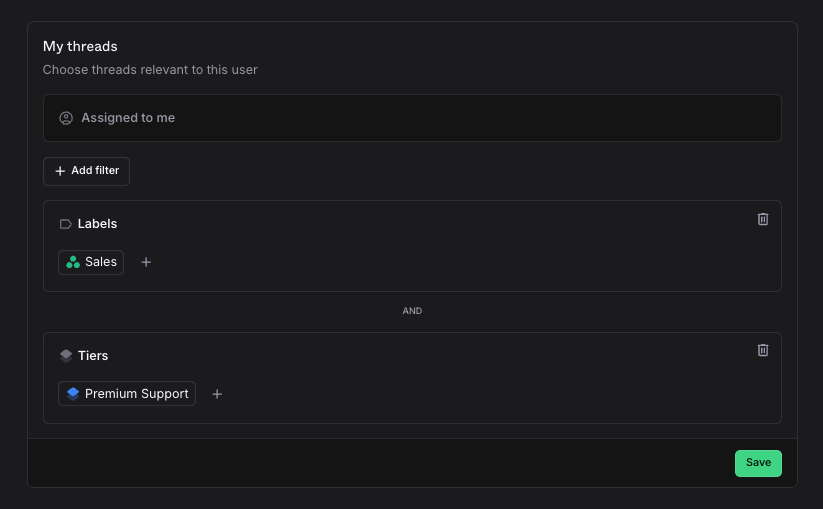
# My threads
> Your personal queue: everything assigned to you, plus any filters you add on top.
The **My threads** view shows all threads assigned to you with a **Todo** status. You can extend it with additional filters to surface any other threads relevant to you, not only your assigned ones.
## Set up your personal queue
1. Go to **Settings → Members**
2. Click your name
3. Configure your queue filters
Your queue always includes **Assigned to me**, so you never miss a thread assigned directly to you. You can add as many additional filters as you need on top of that.
Only you can edit your own queue filters. Administrators and owners can edit everyone's.
## Queue filters
A personal queue consists of any number of thread filters. The personal queue will always contain "Assigned to me" so that you don't miss any threads that are assigned to you, regardless of if they match any of the following filters or not. The remaining filters are then joined together to generate your resulting list.
For example, if your team is organized by customer or by tier, you can narrow your personal queue to "Threads I'm assigned to and threads from Acme LLC", or to "Threads I'm assigned to and Premium Support Customers".