> ## Documentation Index
> Fetch the complete documentation index at: https://www.plain.com/docs/llms.txt
> Use this file to discover all available pages before exploring further.
# Triage security emails with an AI prompt condition
> A worked workflow that uses an AI condition to separate vulnerability reports from general mail.
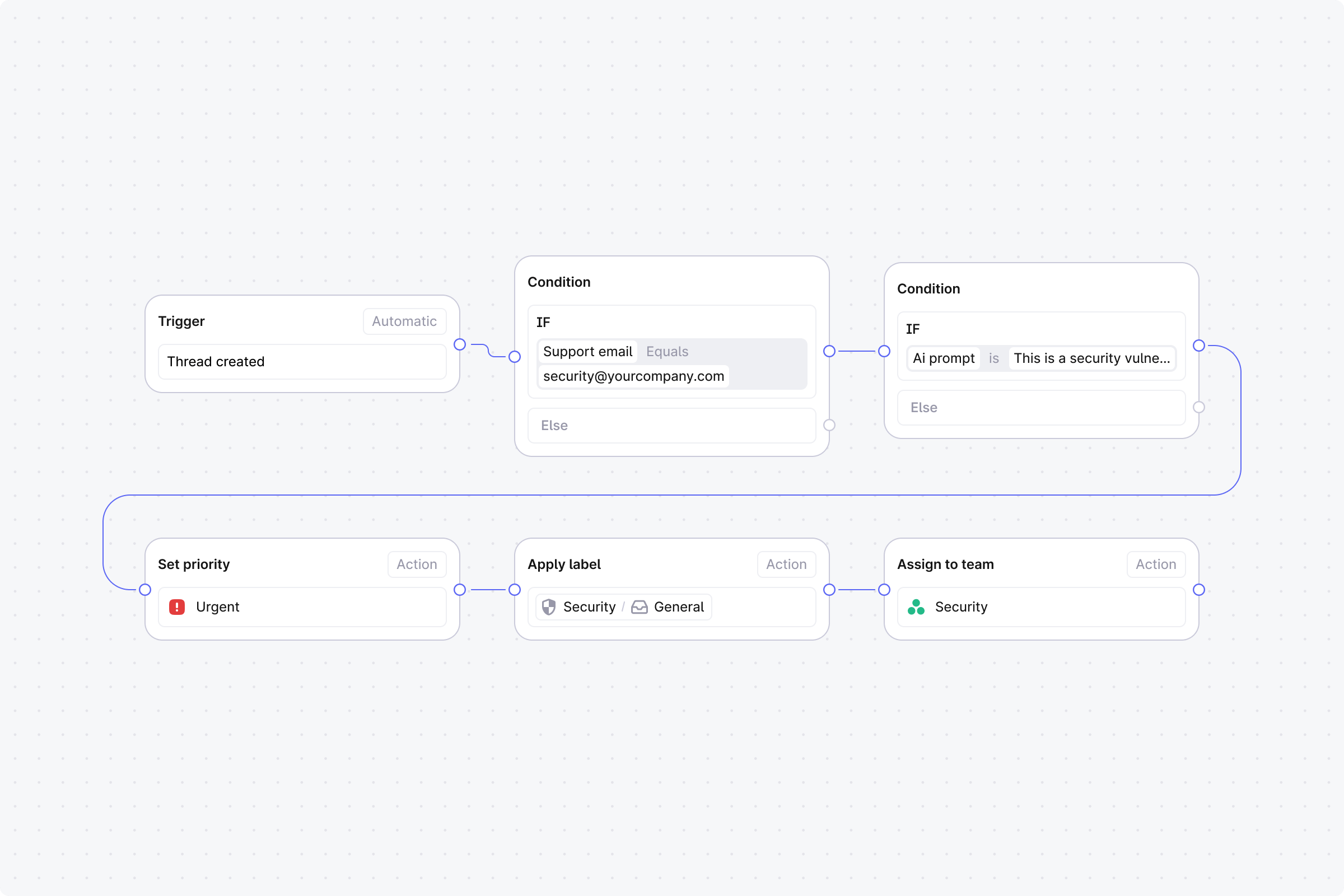
Route threads from your security@ email address using AI to separate vulnerability reports from general inquiries.
 ## Setup
1. **Trigger**: Set to **Automatic**, event: **Thread created**.
2. **Step 1 (Condition)**: **Support email equals** [security@yourcompany.com](mailto:security@yourcompany.com).
* **No**: End the workflow.
* **Yes**: Continue.
3. **Step 2 (Condition)**: **AI prompt match** with: "This is a security vulnerability report or disclosure".
* **Yes**: Continue to Step 3.
* **No**: Skip to Step 5.
4. **Step 3 (Action)**: **Set priority** to **Urgent**.
5. **Step 4 (Action)**: **Assign to user**. Select your security lead. End this branch.
6. **Step 5 (Action)**: **Apply labels**. Select **Security - General**.
7. **Step 6 (Action)**: **Assign to team**. Select your security team.
## Setup
1. **Trigger**: Set to **Automatic**, event: **Thread created**.
2. **Step 1 (Condition)**: **Support email equals** [security@yourcompany.com](mailto:security@yourcompany.com).
* **No**: End the workflow.
* **Yes**: Continue.
3. **Step 2 (Condition)**: **AI prompt match** with: "This is a security vulnerability report or disclosure".
* **Yes**: Continue to Step 3.
* **No**: Skip to Step 5.
4. **Step 3 (Action)**: **Set priority** to **Urgent**.
5. **Step 4 (Action)**: **Assign to user**. Select your security lead. End this branch.
6. **Step 5 (Action)**: **Apply labels**. Select **Security - General**.
7. **Step 6 (Action)**: **Assign to team**. Select your security team.