> ## Documentation Index
> Fetch the complete documentation index at: https://www.plain.com/docs/llms.txt
> Use this file to discover all available pages before exploring further.
# Triggers
> What can start a workflow, from a new thread to a schedule.
Triggers control when a workflow starts. Conditions are decision points inside the workflow that check something about the thread and split the flow into two paths.
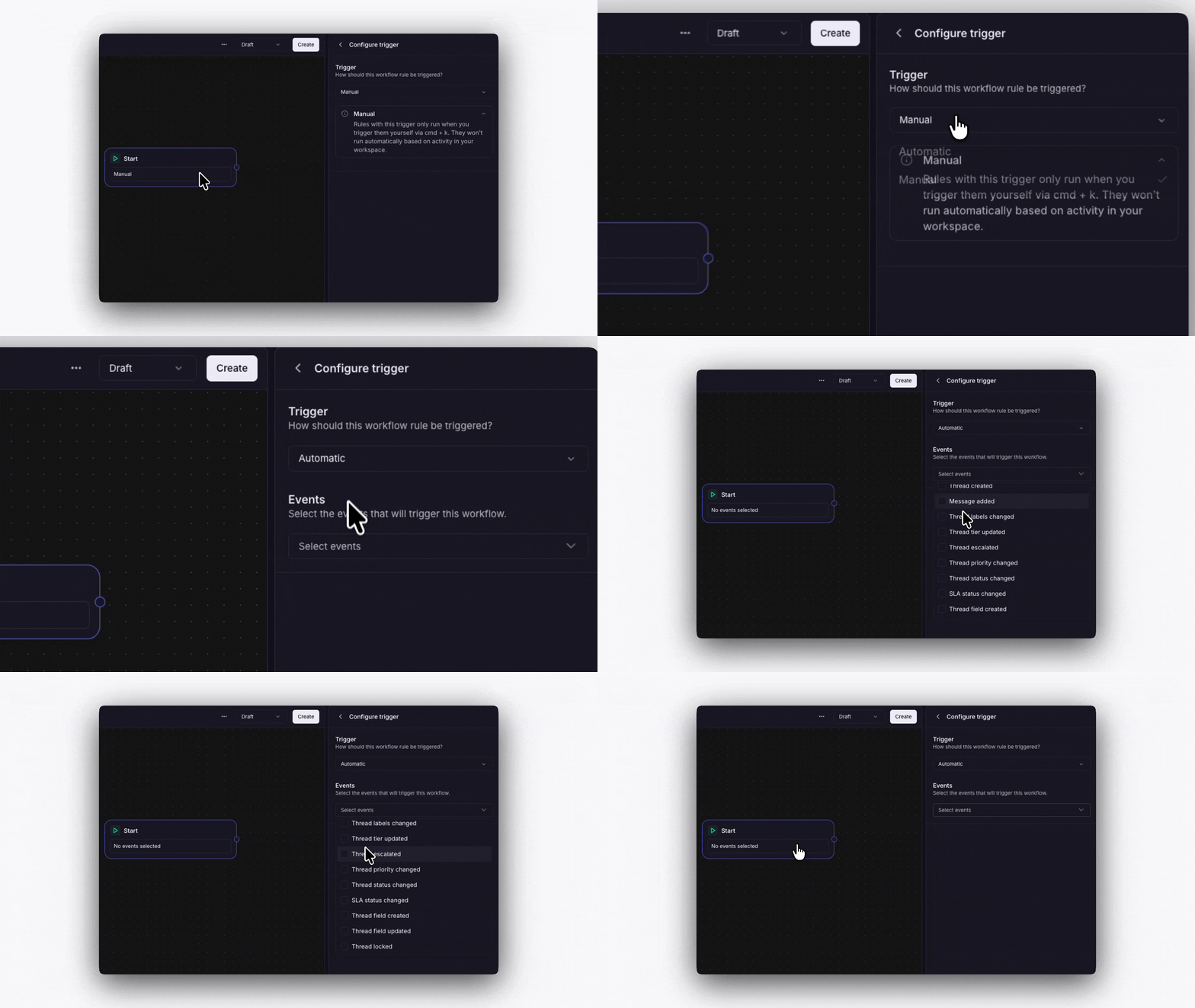 ## Manual
You run the workflow yourself. Open a thread, click **Run workflow**, and select which workflow to run. Useful for on-demand processes like escalation procedures.
## Automatic
The workflow runs automatically when a thread event happens. You choose which events during setup:
* Thread created
* Message added
* Labels changed
* Tier updated
* Thread escalated
* Priority changed
* Status changed
* Thread field created
* Thread field updated
You can select multiple events for one workflow. For example, trigger on both "Thread created" and "Message added" to catch new threads and follow-up messages.
## Manual
You run the workflow yourself. Open a thread, click **Run workflow**, and select which workflow to run. Useful for on-demand processes like escalation procedures.
## Automatic
The workflow runs automatically when a thread event happens. You choose which events during setup:
* Thread created
* Message added
* Labels changed
* Tier updated
* Thread escalated
* Priority changed
* Status changed
* Thread field created
* Thread field updated
You can select multiple events for one workflow. For example, trigger on both "Thread created" and "Message added" to catch new threads and follow-up messages.