
Building custom QA processes for your support team


Last Updated
Published On
This playbook is for Support teams at startup-to-scale-up B2B SaaS companies that want a more consistent support quality process without adding another platform.
Use this playbook when:
your team wants to measure support quality more consistently
you need better coaching and calibration across agents
you want post-send QA without building a heavy review program
you are evaluating Plain and want to understand how QA can work with it
Do not use this playbook if you need a deeply specialized, compliance-grade QA product with extensive prebuilt scorecards, formal auditing workflows, and dedicated analyst tooling on day one.
What QA should measure
A good QA process gives support teams a simple way to answer one question:
Did this interaction meet our support standards?
For most teams, this does not require a separate QA platform. As long as you have a clear definition of what quality is for your team, you can set up a lightweight review process to capture what happened and learn from it.
For most B2B SaaS teams, that means reviewing conversations against a small set of criteria:
Tone — Was the response clear, professional, and appropriate?
Policy adherence — Did the agent stay within company guidelines?
Procedural correctness — Were the right internal steps followed?
Technical accuracy — Was the answer correct?
Escalation judgment — Was the issue escalated when needed?
Completeness and next-step clarity — Did the customer leave with a clear answer or next step?
Three ways to build custom QA processes in Plain
Framework 1: Manual QA
This is the simplest and quickest place to start. A manager or team lead reviews a sample of completed conversations, scores them against the QA criteria, and uses that feedback for coaching.
This works well when you want to move quickly while your team is still building QA discipline.
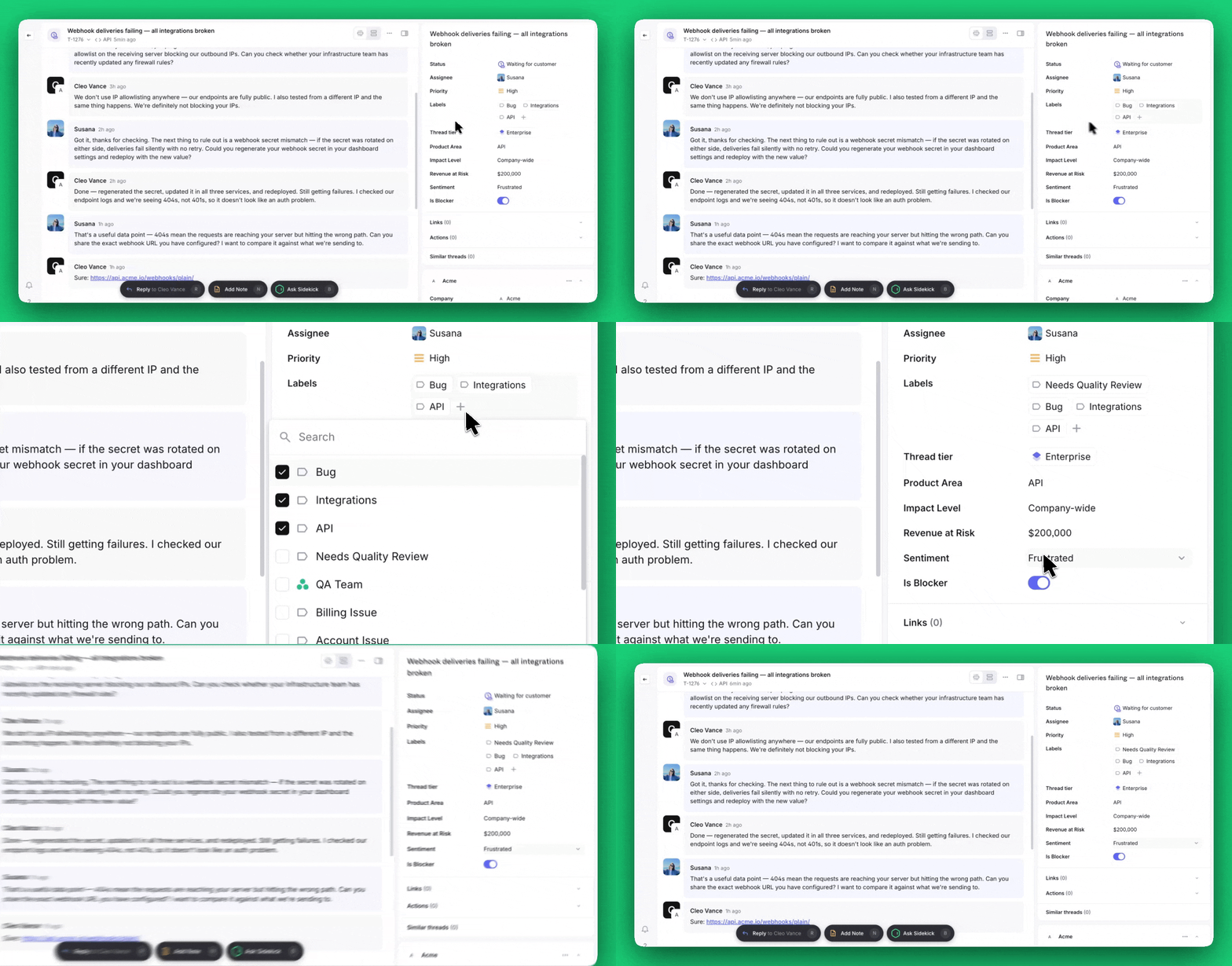
In Plain, this can be as simple as:
creating a saved view for threads to review
using labels to flag QA candidates
adding a few thread fields to record review outcomes
using tasks for coaching follow-up
Customer Story:
Sourcegraph described Plain as making it easier for managers to review how a case was handled because the full timeline across customer, support, and engineering work is visible in one thread. That thread quality assessment easier, since reviewers can see the sequence of decisions and spot where issues happened.
Framework 2: Workflow-assisted QA
This is the best fit for many growing teams.
Instead of manually deciding what to review every time, Plain helps structure the process. Conversations can be routed into QA queues based on simple rules, and reviewers can record outcomes in a consistent way.
This works well when your need for a more consistent QA process increases.
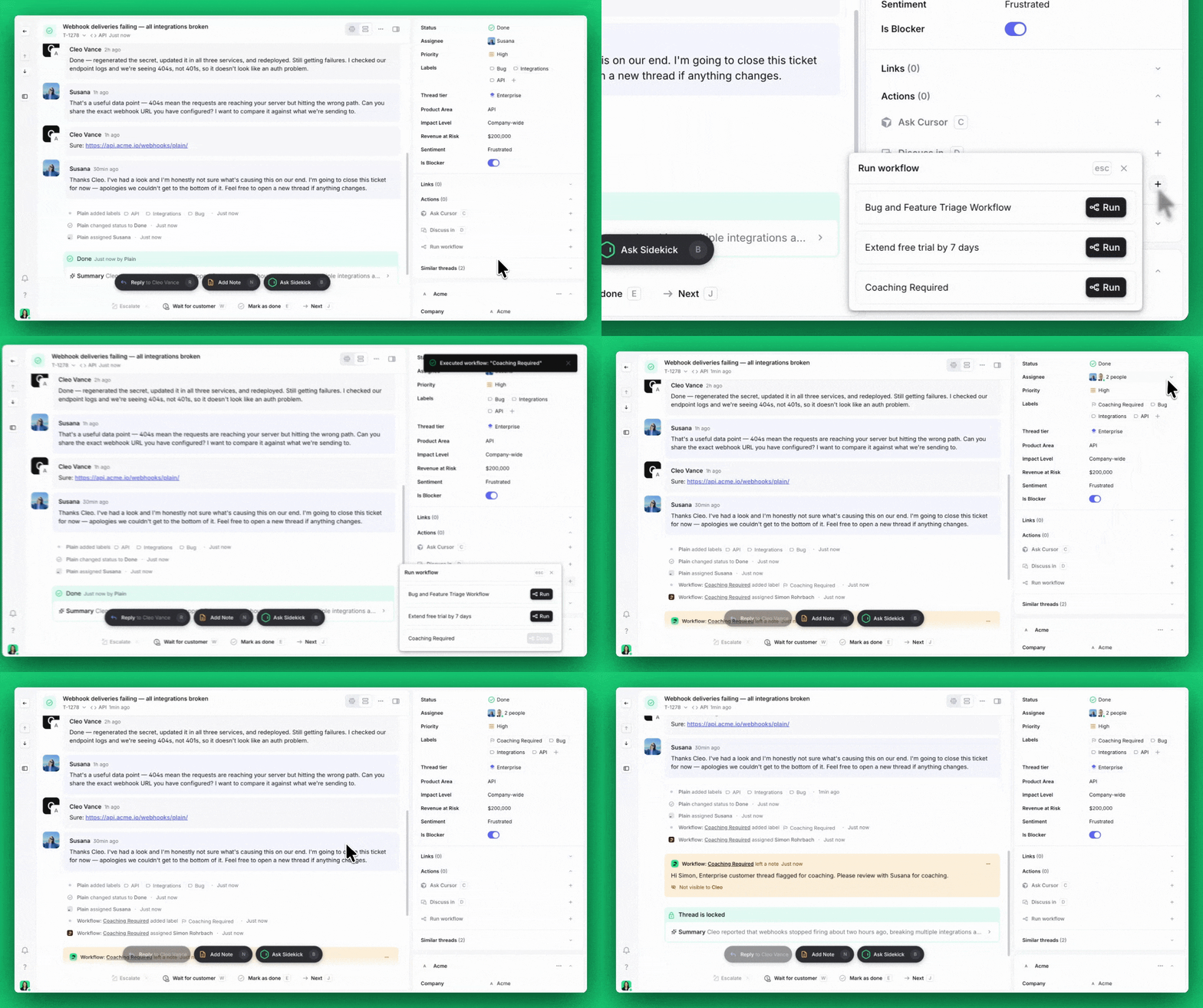
In Plain, this usually means:
using workflows to tag or route threads for review
using required thread fields for QA outcomes
creating separate queues for routine QA, high-risk QA, and coaching follow-up
Example:
every completed enterprise thread is routed into a high-priority QA queue
if a review identifies a coaching issue, a workflow applies a
coaching-requiredlabel and assigns the thread to the relevant team lead automatically
This gives the team more structure without adding another platform.
Framework 3: Custom QA with APIs and webhooks
This is for teams that need more control, richer reporting, or custom logic.
At this stage, Plain still handles the support workflow, but external systems can help with QA decisions, review logic, or reporting.
This works well when you need more advanced reporting and want to keep a very streamlined process.
A simple version of the flow looks like this:
a support thread is completed in Plain
a webhook sends that event to your own system
your system decides whether the thread should be reviewed or scored
the result is written back into Plain using the API
the thread now shows the QA result for managers and reviewers
Example:
enterprise escalation threads are sent to an internal QA service
that service assigns a reviewer or applies a custom score
the score and review status are written back into Plain
managers use that data for coaching and reporting
This is powerful, but it should only be used when the simpler options stop being enough.
How to choose the right framework
Start with the simplest version that solves the problem.
Use Manual QA if you are building the habit of quality review and want to get started quickly.
Use Workflow-assisted QA if you want more consistency and scale without making the process heavier.
Use Custom QA with APIs and webhooks only when you have a clear need for custom logic, external reporting, or deeper system integration.
For most teams, the right answer is the one that improves quality without creating extra complexity.
A balanced approach is:
define quality clearly
review a small, useful sample
capture the outcome in a structured way
use the results for coaching
add complexity only when it is justified
You can start small, keep everything close to the support workflow, and evolve the process as your team grows.
Takeaway
Custom QA in Plain matters because quality matters. It is useful because teams need a repeatable way to understand whether support interactions meet their standards.
It is practical because most teams can start with a simple process.
And it does not need to be overcomplicated.
Start with the lightest framework that works. Keep the process close to the support workflow. Add more structure only when it becomes necessary.