
Monthly Product Update: Customizable AI, powerful workflows, and the Plain MCP server


Published On
More and more, the teams we work with are looking for flexibility and configurability. There's no one-size-fits-all model for support, and the best teams want to build it their way.
This month: customizable AI, powerful new workflows, and the Plain MCP server, all designed to break down the guardrails on what you can build with Plain.
Bring Your Own Agent
You can now connect any third-party AI agent to Plain using our API, alongside or instead of Plain's native AI.
Use whichever agent fits your needs: Parahelp, Sierra, Decagon, Fin, or your own custom build. You don't have to give up Plain's infrastructure. Your channels, queues, workflows, and escalation paths all work the same regardless of which agent is handling the conversation.
Your agent subscribes to webhooks, responds to threads, and manages status through the API. When a human steps in, Plain automatically transitions the thread so it surfaces in the right queues. All agent activity appears under Plain AI → Activity, where you can see every thread your agent has interacted with, basic stats, and a breakdown by status.
Human-centric queues like My Threads, Needs First Response, and Needs Next Response automatically filter out AI-handled threads so your team stays focused on what needs a person.
How to start: check out the setup guide.
AI tone controls

Want Plain AI to sound like your team? You can now define tone of voice rules that control how AI writes customer-facing replies. Add plain-language instructions like "Use simple language and avoid jargon," and they'll be applied everywhere AI writes for you.
Customize across five categories: Empathy, Language, Formality, Personality, and Warmth. You can write your own rules or generate suggestions from a style guide.
Once set, these rules apply across Ari responses, suggested replies, Sidekick draft replies, and Help Center AI chat.
How to start: go to Settings → Plain AI → Configuration → Tone of voice. Read more in our Help Center article.
Theme digests

Stop guessing what's driving inbound volume. Themes use AI to automatically cluster your support threads and surface which topics are trending, no manual tagging required.
Plain groups your threads into themes and sends you a weekly Slack digest of the top ones. Instead of piecing together what customers are asking about from individual threads, you get a summary of the patterns that matter.
Visual workflow builder
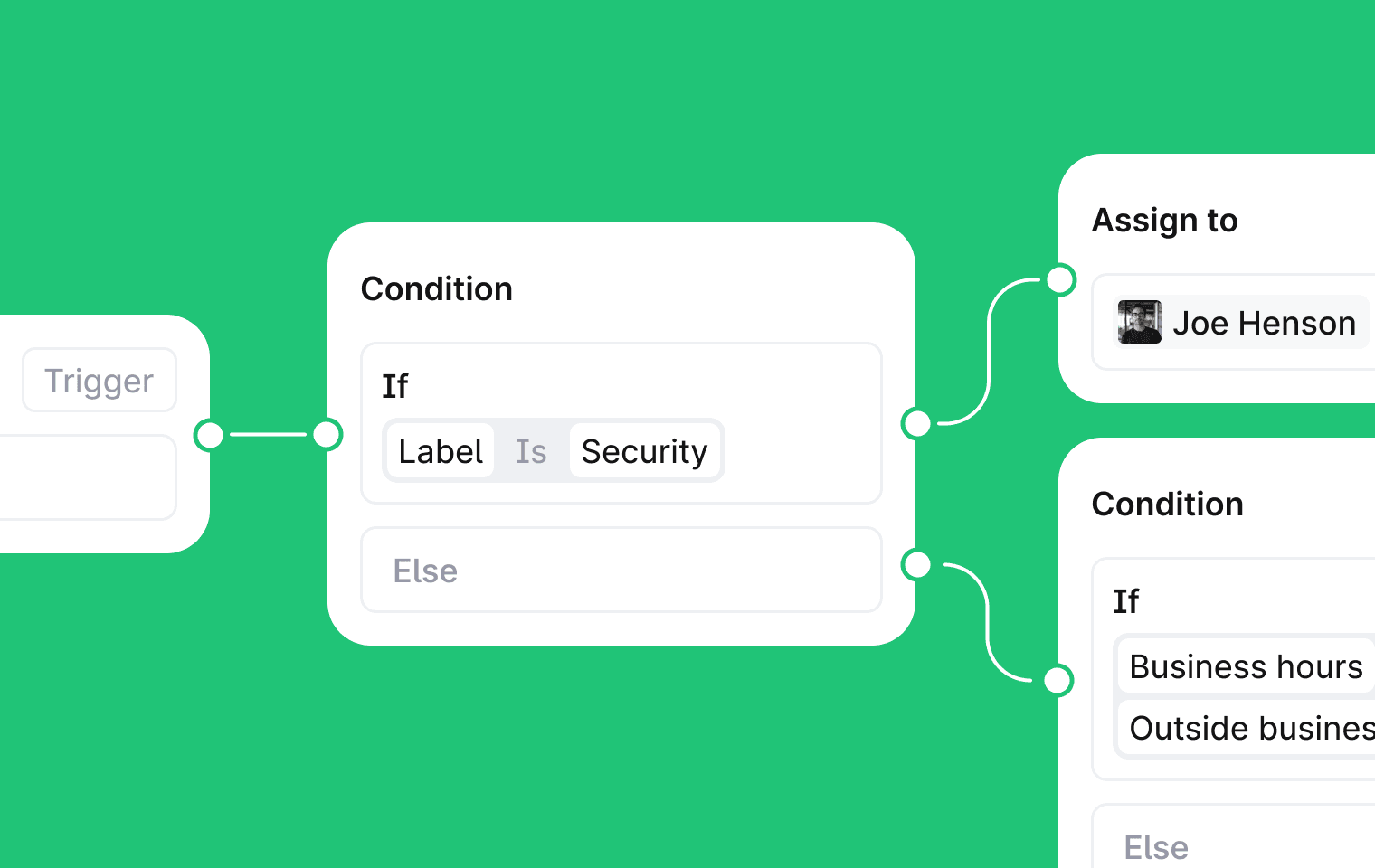
The new workflow builder lets you create multi-step, branching automations on a visual canvas.
Pick a trigger (manual, or automatic on events like thread created, message added, or status changed). Add conditions that branch based on thread properties, customer data, channel, AI evaluation, or custom fields. Then chain actions together: assign threads, set priority, send messages, apply labels, add notes, or fire HTTP requests to external services.
Wait steps let you pause for minutes, hours, or days, and cancel early if something changes, like the customer replying.
If you were using workflow rules, they've been auto-migrated into the builder.
How to start: head to Workflows in the sidebar. For a full walkthrough, check out our help center guide.
Plain MCP server
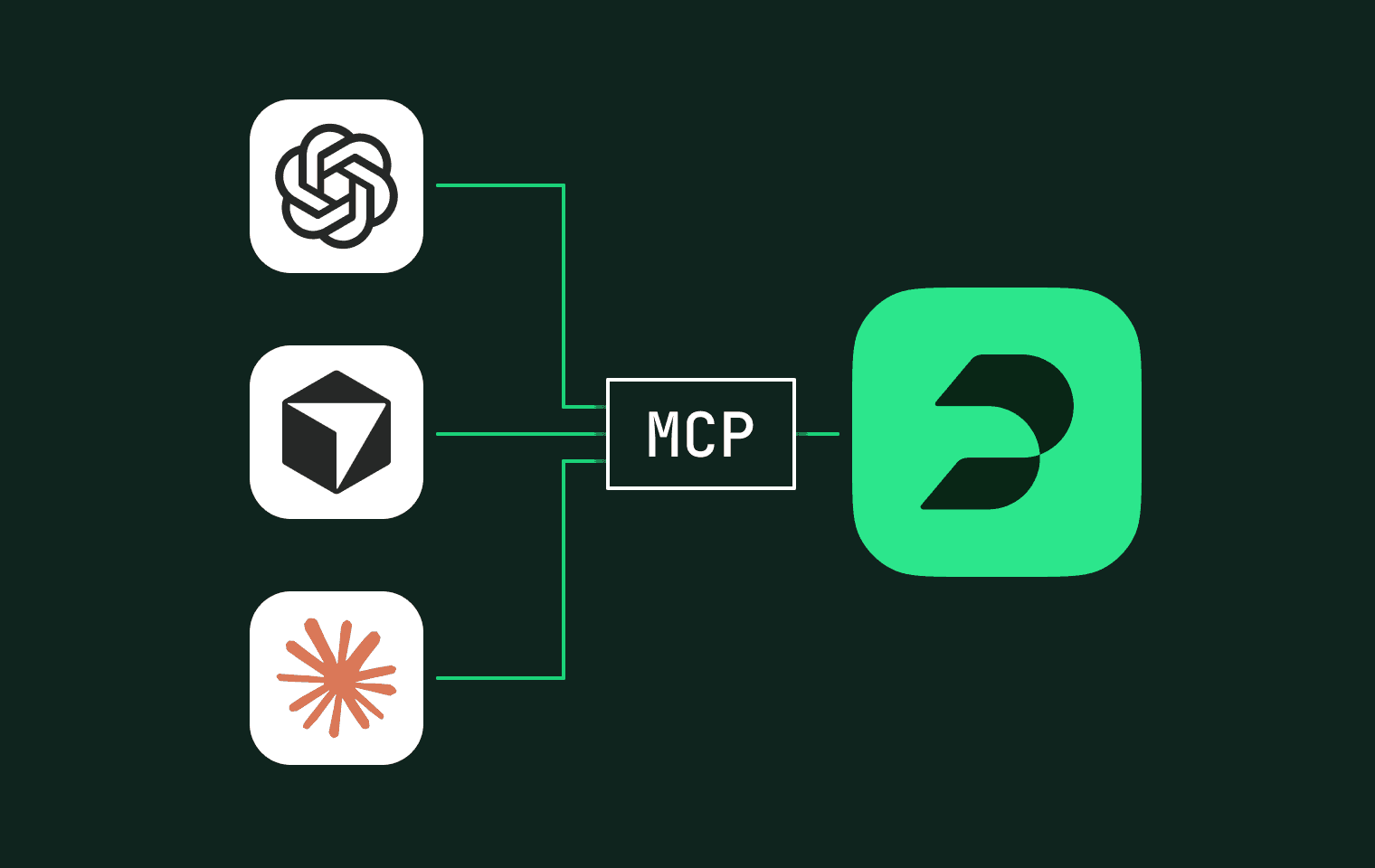
The Plain MCP server gives AI tools like Claude, ChatGPT, and Cursor direct access to your Plain workspace. Once connected, your AI assistant can read threads, look up customers, check tenant details, and browse your help center. It can also take actions: reply to threads, assign them, change priority, add labels, create notes, and mark threads as done.
The server includes 30 tools across threads, customers, tenants, help center articles, and workspace data. You authenticate with your existing Plain account, so the MCP server has the same permissions as your user.
Use cases we're seeing:
Automate end-of-day queue handoffs with context summaries
Keep your help center in sync by surfacing recurring topics
Flag at-risk accounts by catching rising thread volume early
How to start: check out the setup guide.
What these features unlock
Taken together, this month's releases make Plain more flexible for the teams that want to build support their way:
Bring Your Own Agent opens Plain's infrastructure to any AI, no vendor lock-in
Tone controls make sure AI replies sound like your team, not a generic bot
Theme digests surface patterns in your inbound volume automatically
The workflow builder lets you design complex automations visually
The MCP server turns Plain into an API surface for any AI tool
If you're already using Plain, these features are live now.
If you're exploring what modern support infrastructure looks like, book a demo and we'll walk you through it.