

How it works
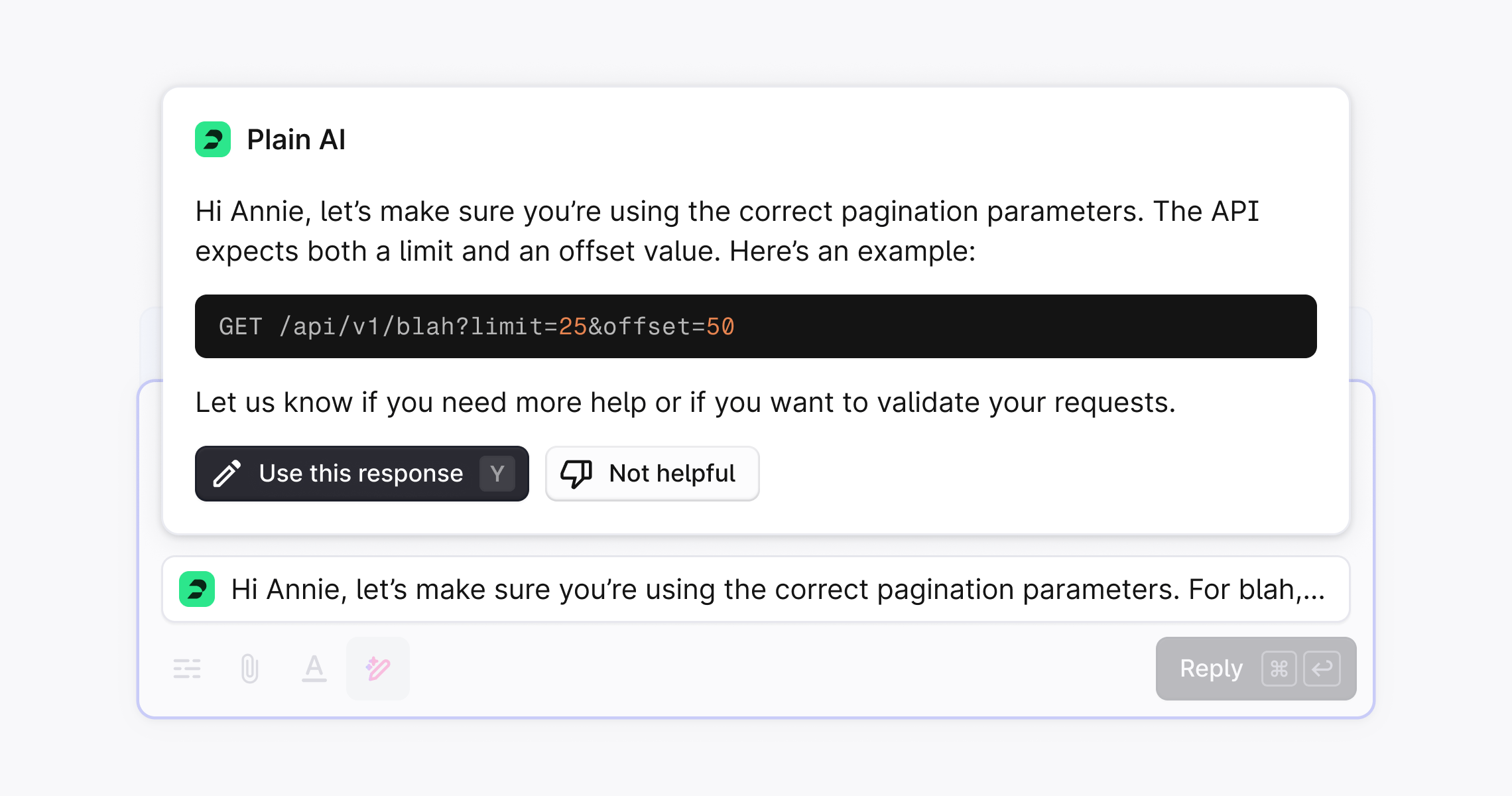
When a new thread comes in, Plain generates a suggested reply if there is enough information in your knowledge sources and the full thread context to provide the answer. The suggestion appears directly in the composer, ready for review, edits, or sending. The more knowledge sources you connect, the better suggestions become. This is especially effective for teams handling technical, policy heavy, or product specific questions where accuracy matters. If Plains AI doesn’t have enough information, a reply won’t be generated. This helps ensure that suggested replies are always useful.Enabling suggested responses
- Go to Settings → Plain AI
- Toggle Suggested responses
Make suggestions smarter with knowledge sources
To provide deeper and more accurate suggestions, connect your support documentation. Plain indexes it and use it alongside past conversations to generate better replies. This matters most for B2B teams handling technical, policy-heavy, or product-specific questions. See knowledge sources to get started. You can rate any suggested response with a thumbs up or thumbs down directly in the composer. You can also leave an optional comment explaining why the suggestion was or wasn’t helpful. This feedback is used to improve future suggestions.Bring your own suggestions
If you generate replies elsewhere, for example with your own model or an internal knowledge base, you can push them into Plain with theaddGeneratedReply API mutation.
They appear in the composer, and the customer sees nothing until a user sends the reply.
Once your agent has suggested a reply on a thread, Ari stops generating its own suggestions there.
Your suggestions show even when Suggested responses is off, and take precedence over Ari’s for the same message.
Your API key needs the generatedReply:create permission. See suggested replies in our API docs.