

Live and test mode
You choose the mode each time Ari is assigned to a thread, through a workflow or manually, so Ari can reply on one queue while it runs in test mode on another:- Live: Ari replies to customers. It becomes the thread’s main assignee.
- Test: Ari sends nothing and adds private timeline entries showing what it would have done. It joins as an additional assignee, so whoever owns the thread keeps it and your queues and assignment rules stay the same.
What you’ll see
On threads where Ari is in test mode, Ari adds private timeline entries when new customer messages are added to a thread. You’ll see timeline entries when:- Ari would have replied, along with the draft answer Ari would have sent;
- Ari would have handed off, along with the hand-off reason; and when
- Ari would not have responded.
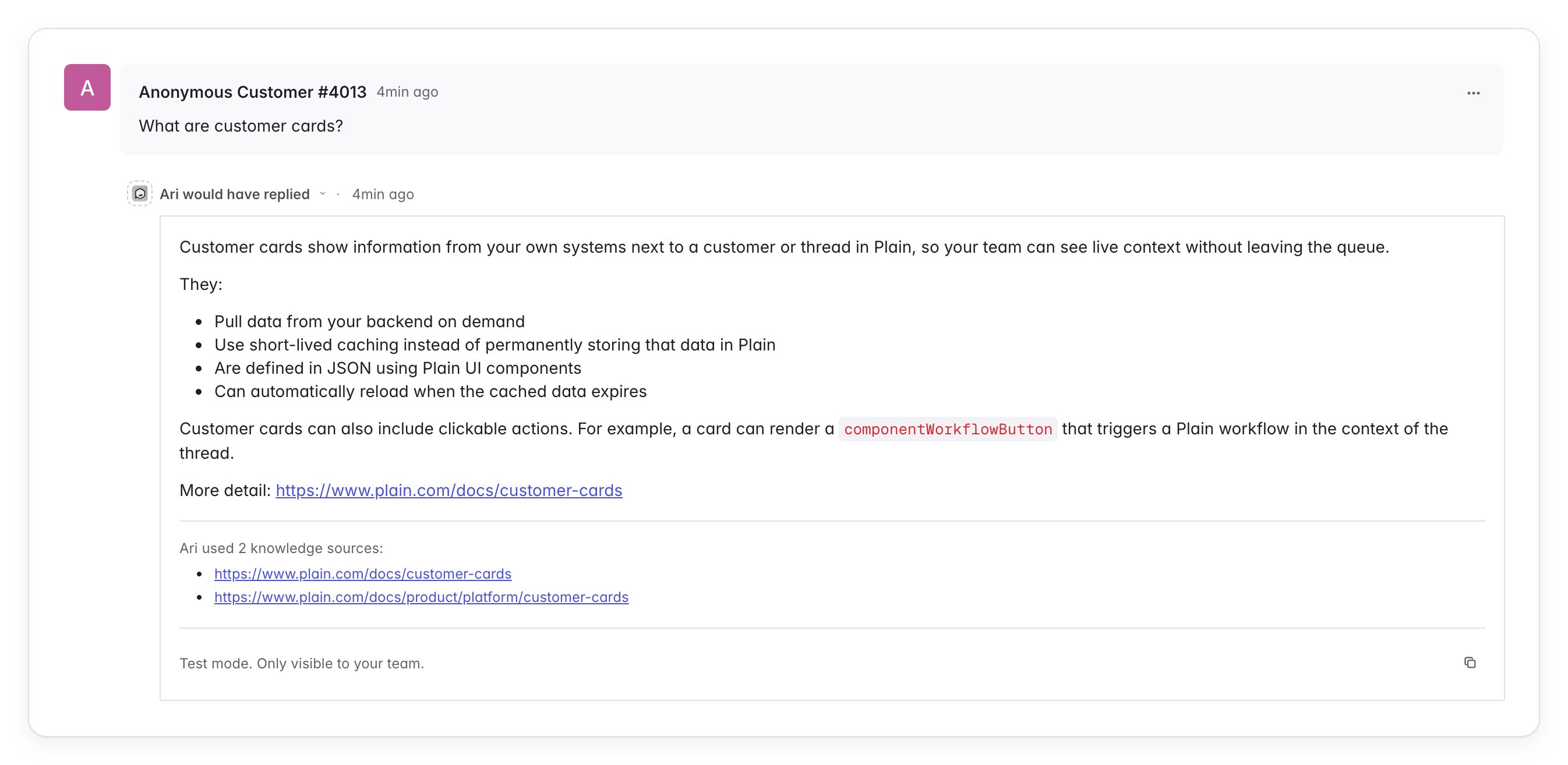
Choosing live or test mode
In workflows
Every workflow action that assigns threads to Ari has its own mode. Pick Live or Test when you assign Ari in a workflow.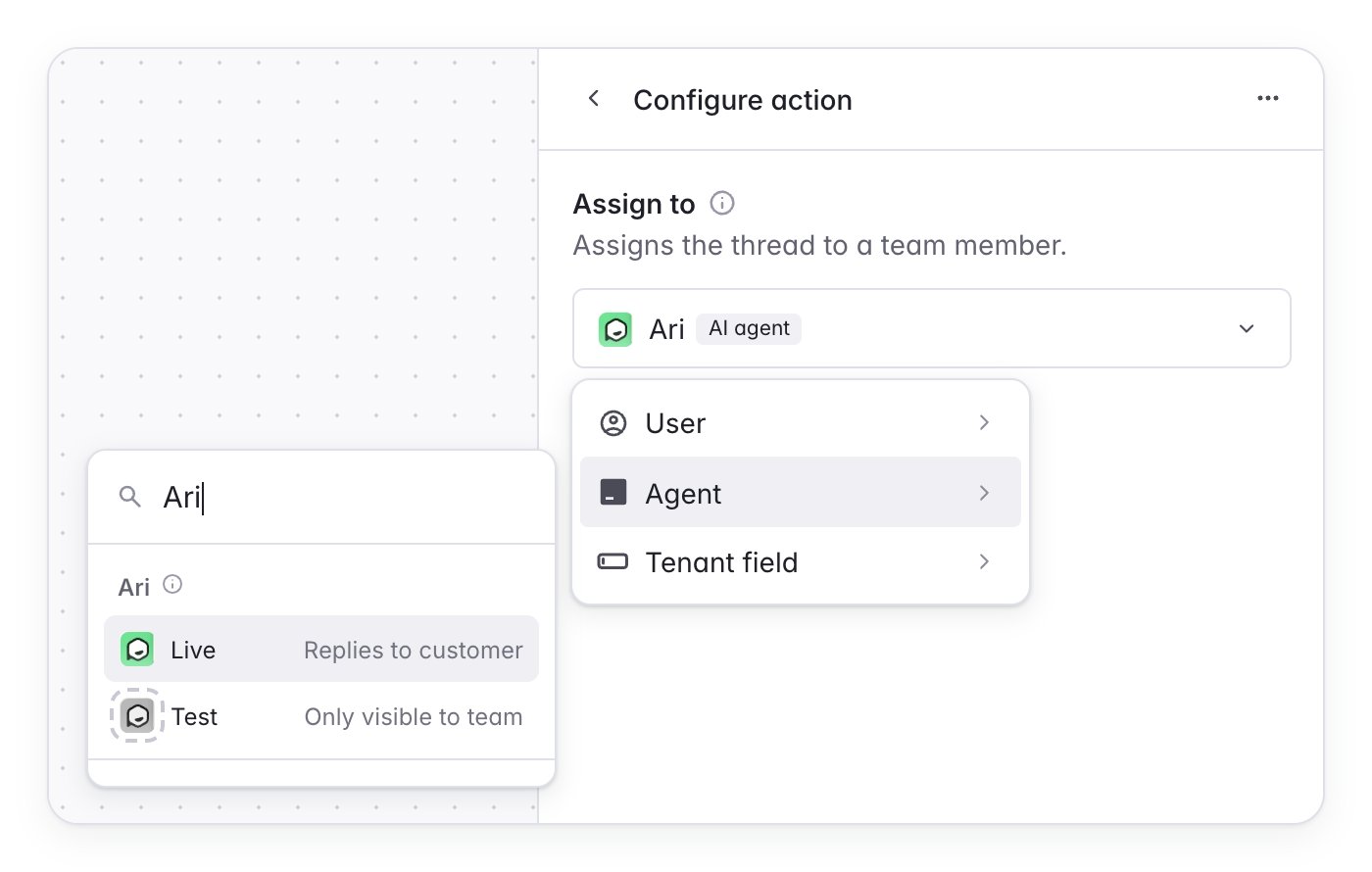
If you used the now-deprecated workspace-wide Live or Shadow setting, your existing workflows kept the mode your workspace was set to.
Manually
You can also pick Live or Test when you assign Ari from a thread’s assignee picker.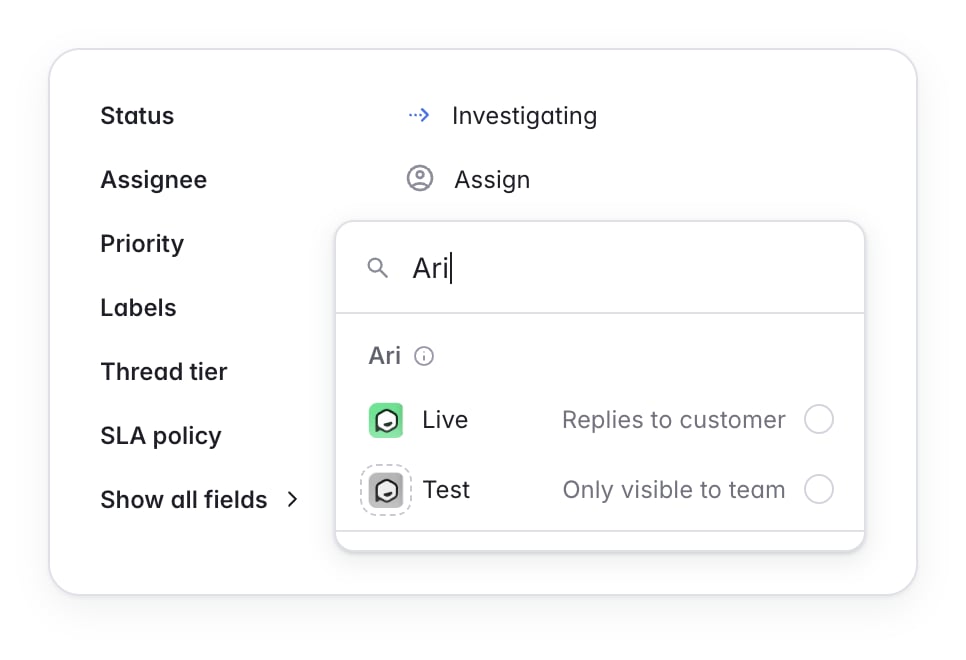
Tracking live and test mode assignments
Two places in Plain AI show how your workflows use each mode. Ari overview: the Ari status card shows how many of your workflows assign Ari in live mode and how many in test mode.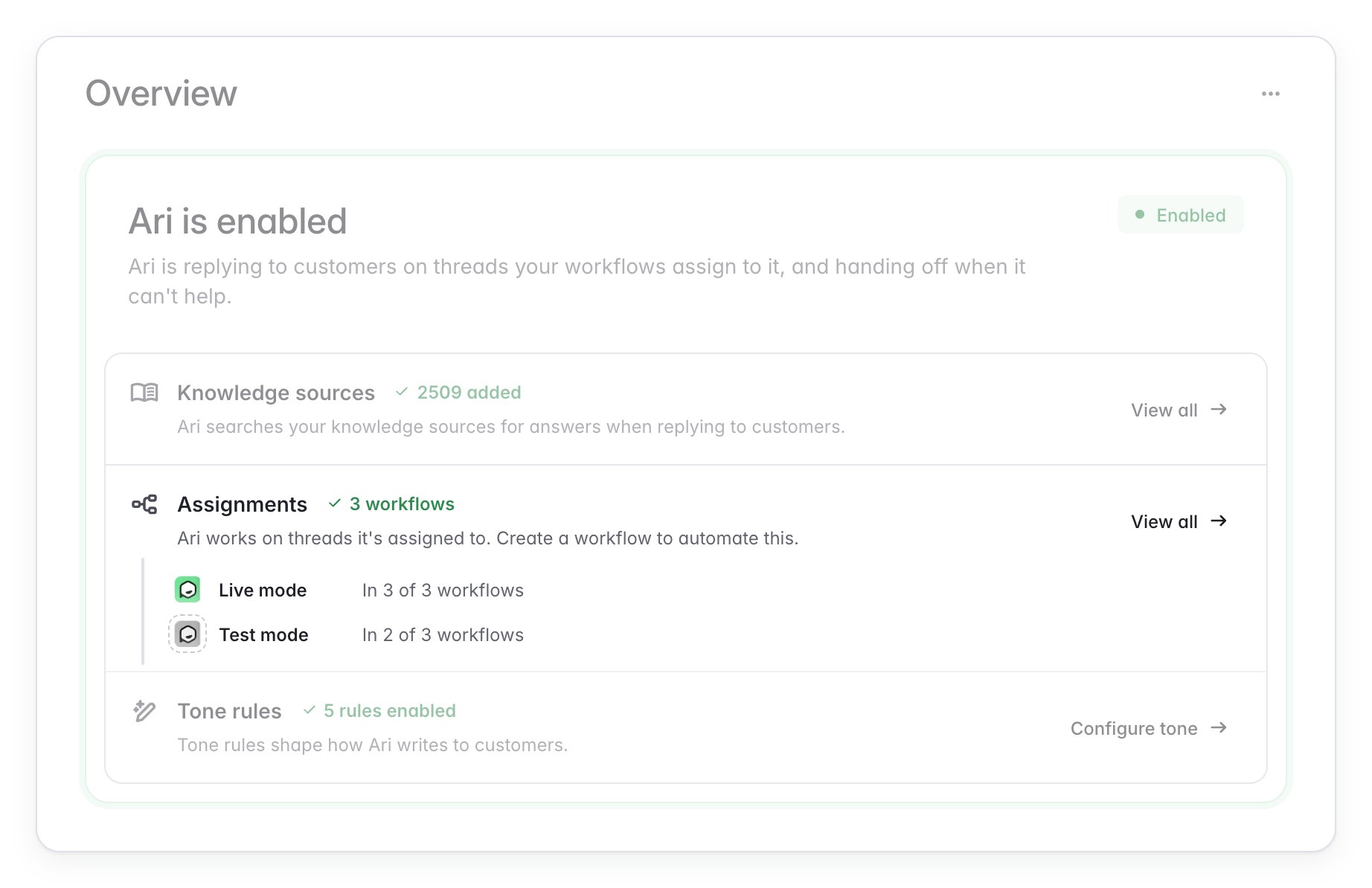
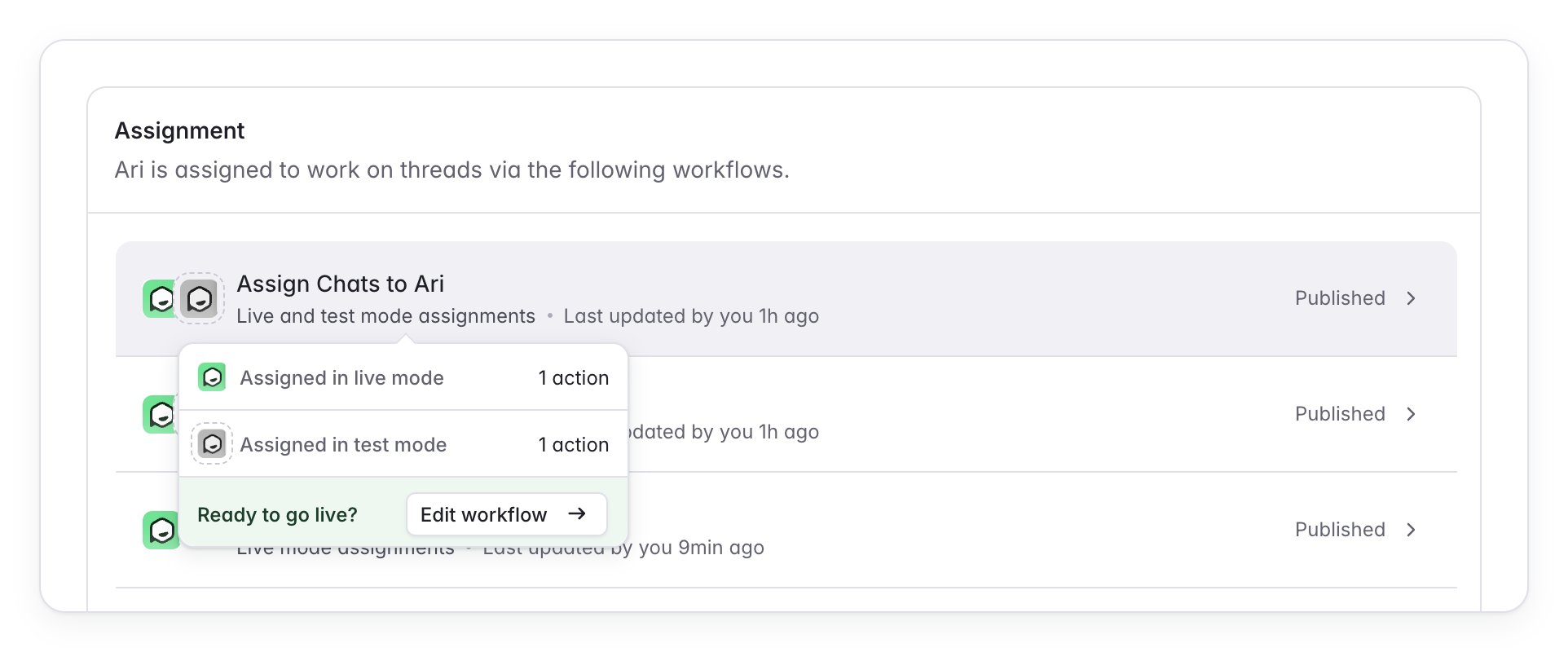
Knowledge gaps in test mode
When Ari would have handed off because it couldn’t find an answer in your knowledge sources, it records a knowledge gap exactly as it does live. The gap is grouped with repeat questions and raises a task for your team, so you can fill the holes in your documentation before Ari starts replying to customers. The test mode entry on the thread doesn’t mention the gap. Find it under Ari → Knowledge → Knowledge gaps or as a task linked to the thread.Reading via GQL
In test mode Ari writes its outcome to the thread’s timeline as a Thread Event. Read it like any other timeline entry, filtering to events:externalId, which starts with ari-dry-run.
When Ari would have answered, the drafted reply is the ComponentText inside the event’s ComponentContainer.