

How approvals work
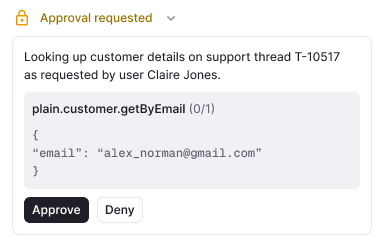
Every action Sidekick can take is classified as either runs directly or requires approval, based on how reversible and how high-impact it is. When an action requires approval:- You ask Sidekick to do something
- Sidekick presents the proposed action with confirm and deny controls
- You approve or deny
- If you approve, Sidekick carries it out and reports the outcome back in the conversation. If you deny, it stops and you can redirect.
Actions in Plain
Run directly
These lower-impact actions execute immediately:- Assign or unassign a thread
- Add or remove labels
- Change a thread’s priority
- Rename a thread
- Set or update thread fields
- Add an internal note (visible to your team only, never to the customer)
- Link a thread to a Linear or Jira issue
- Draft, update, or publish Help Center articles
Require approval
These higher-impact or harder-to-reverse actions show a confirm step first:- Change a thread’s status (for example, marking it done)
- Escalate a thread
- Merge two threads
- Lock a thread
- Mark a customer as spam
- Change a tenant’s tier
Actions in connected tools
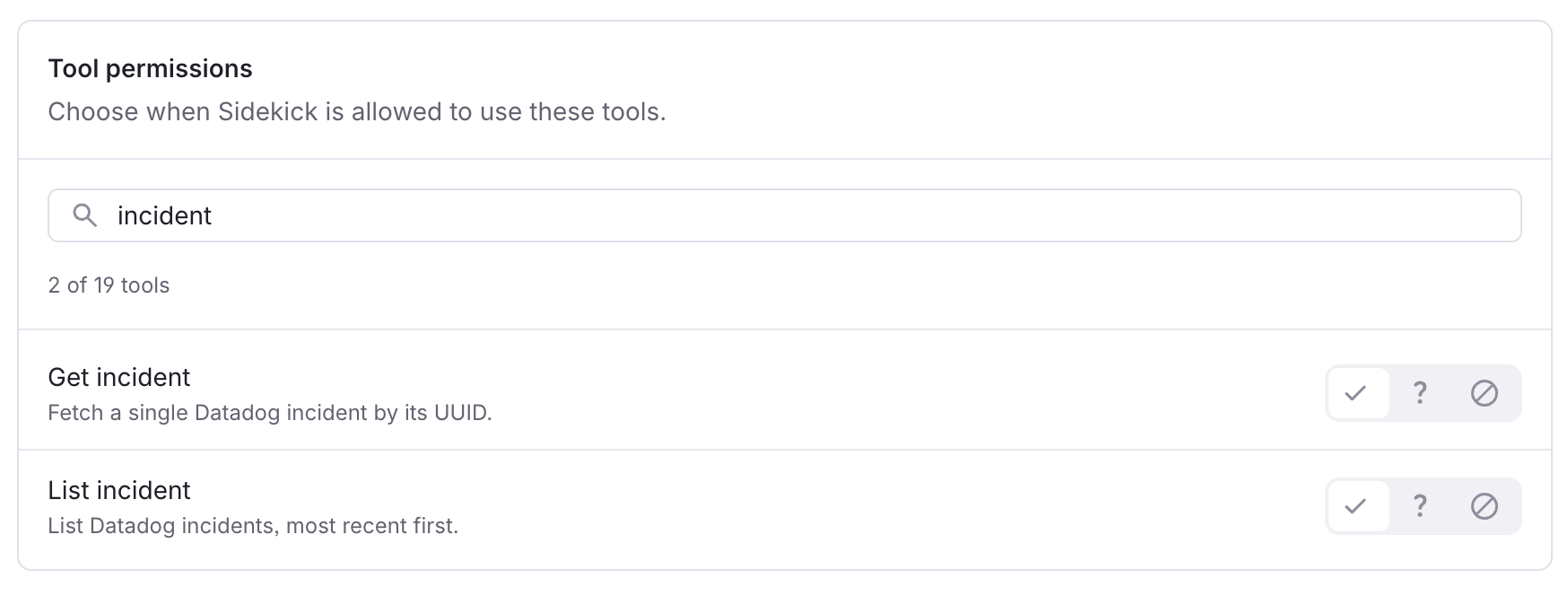
What Sidekick can do in each tool depends on the integration and the scopes it was connected with. Some tools may need re-authorisation with write permissions before actions are available.
Observability integrations (Datadog, Grafana, Sentry, PostHog, LaunchDarkly) are read-only. Sidekick reads from them but cannot change anything in them.