

Prerequisites
Email discussions require the Email channel to be configured in your Plain workspace. If you can already send and receive support emails in Plain, you’re good to go.Starting an email discussion
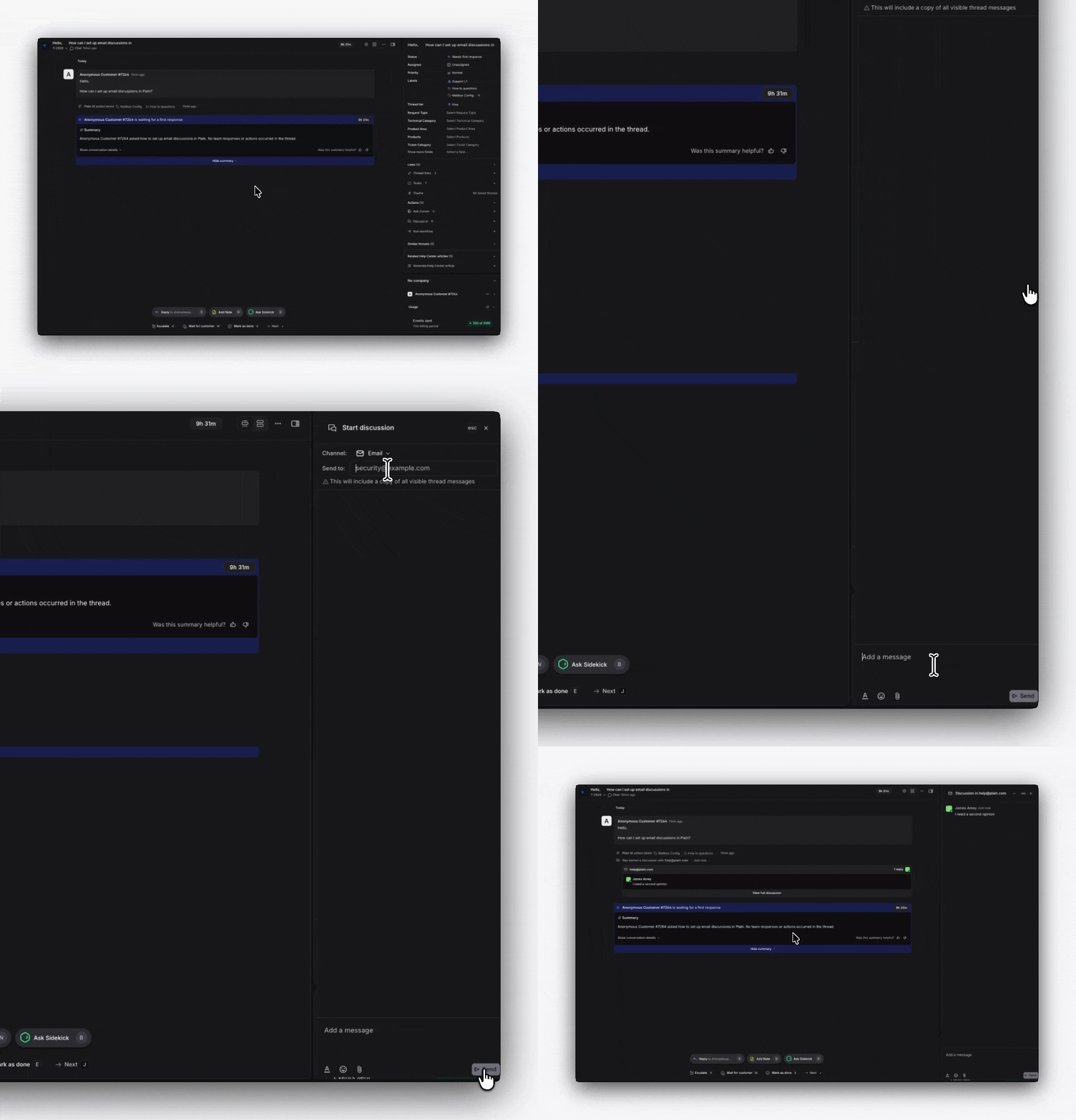
- Open a thread and click the + icon in the sidebar next to Thread Discussions. You can also press D on your keyboard.
- In the modal that opens, select Email as the channel. If you have Slack connected, you’ll see Slack channels listed alongside the Email option.
- Enter your recipients and write your message.
- Send. Recipients will receive an email containing your message, with all previous thread messages appended below: similar to a forwarded email in their inbox.